AMSA
AWS CLI configuration
This is a guide that shows you how to how to setup the aws-cli to get your credentials of the current lab.
Install the AWS-CLI.
This depends on your linux distribution (or, if you’re on Windows, your questionable operating system), read the official documentation for installing it.
Very very important 🚨
Be sure to install AWS CLI v2 (not v1). The versions are not fully compatible, and many commands work differently.
Configure the AWS-Cli with your credentials
Click the AWS Details button on the lab:
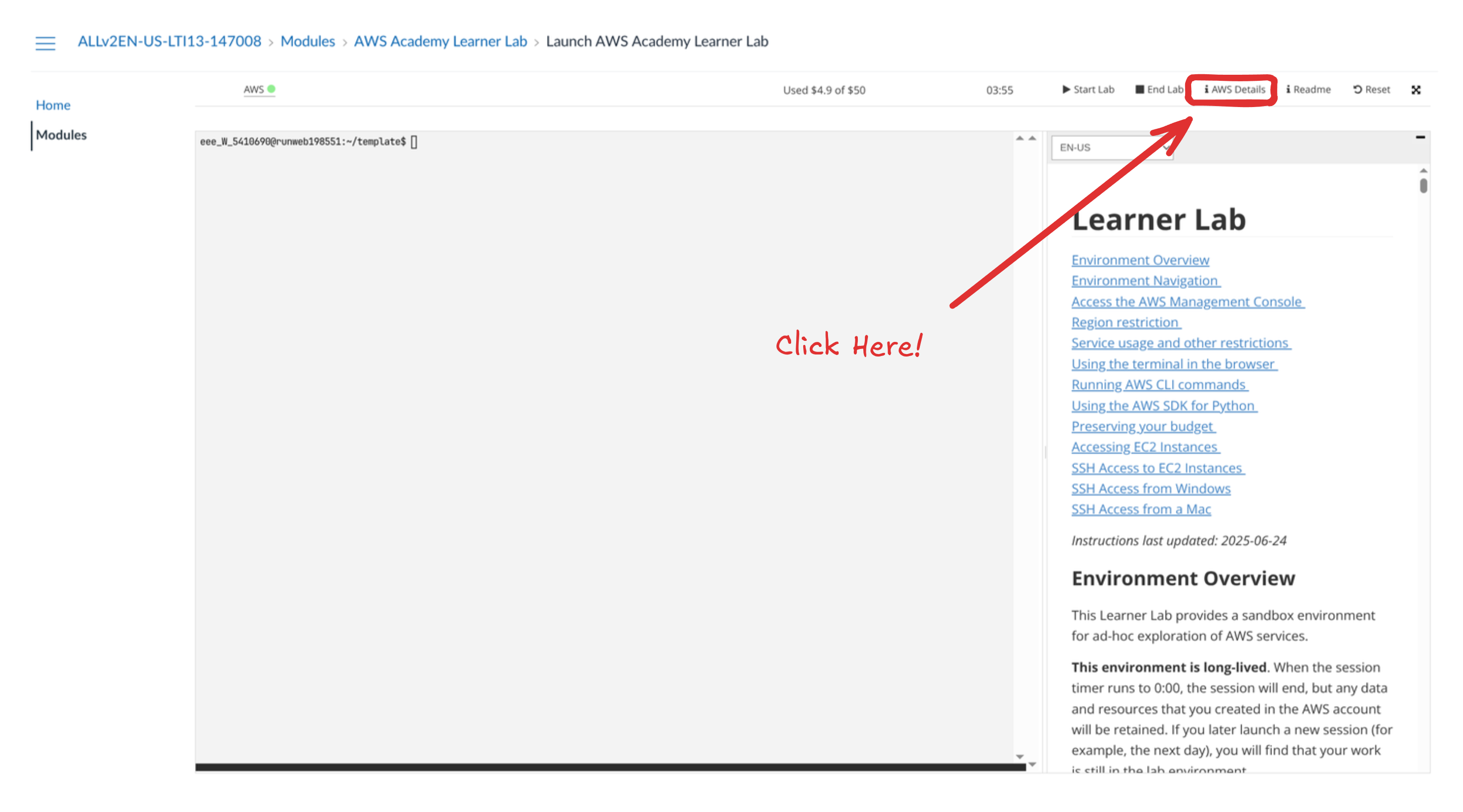
Then, click on the AWS CLI: Show button: 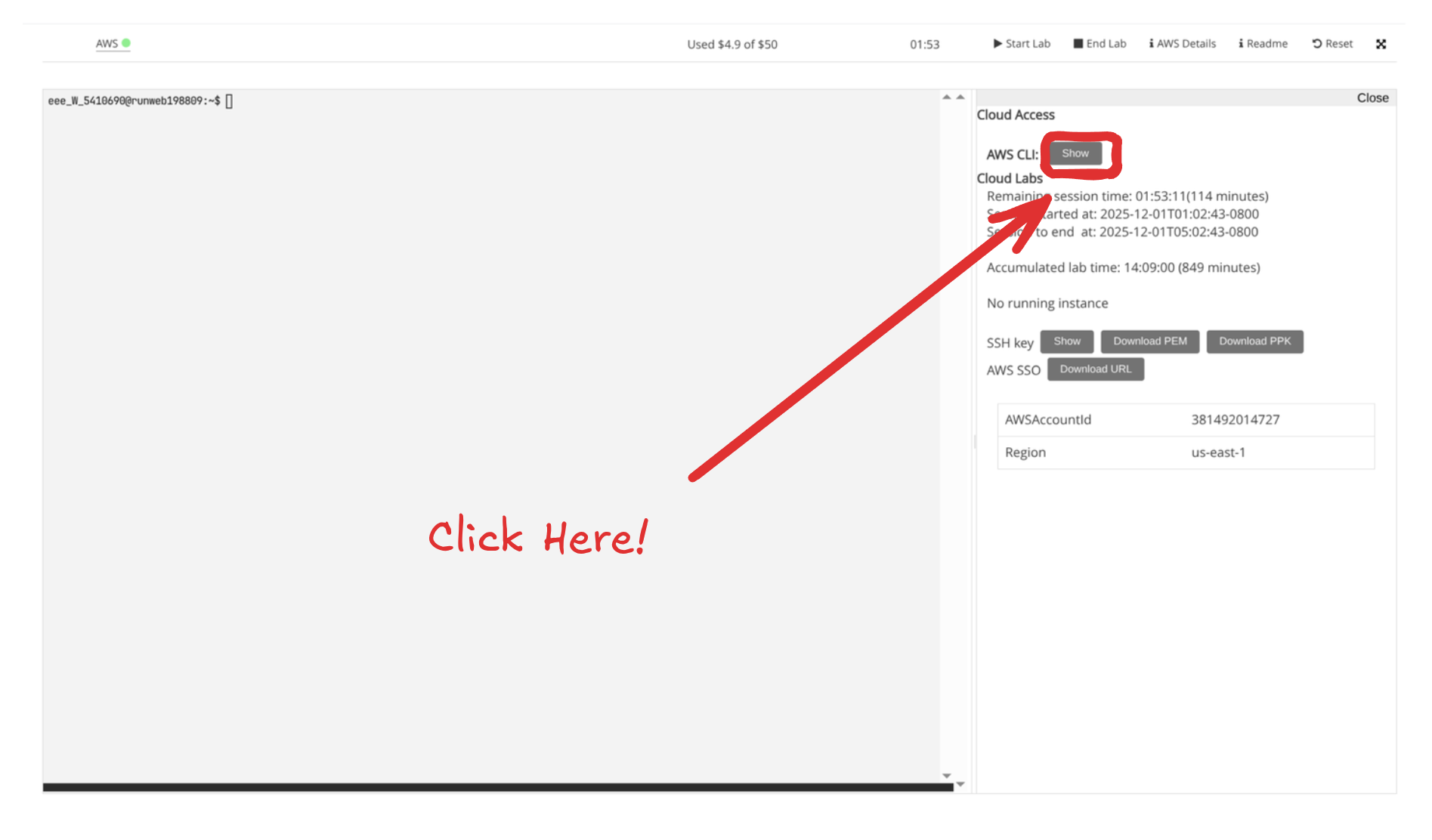
Now, do the steps that the ui tell’s you, this mean:
- On your machine, create the file:
/home/{your_user}/.aws/credentials. - Paste the credentials provided on the AWS page into that file.

Assert that you’re authenticated
Run the following command to verify that you’re authenticated:
$ aws sts get-caller-identityYou should see output similar to:
{
    "UserId": "AROAVRUVSF2DSXYQRBTVG:user4610787=Pablo_Fraile",
    "Account": "381492014727",
    "Arn": "arn:aws:sts::381492014727:assumed-role/voclabs/user4610787=Pablo_Fraile"
}
Make sure the result shows your name.